
Write, send a voice note, call. All tied to your phone number. A read message disappears after thirty minutes, for you and for the person who got it.
One link for both stores, to share: ops.it/scarica
Works in the browser too, nothing to install. On your PC: chat.ops.it
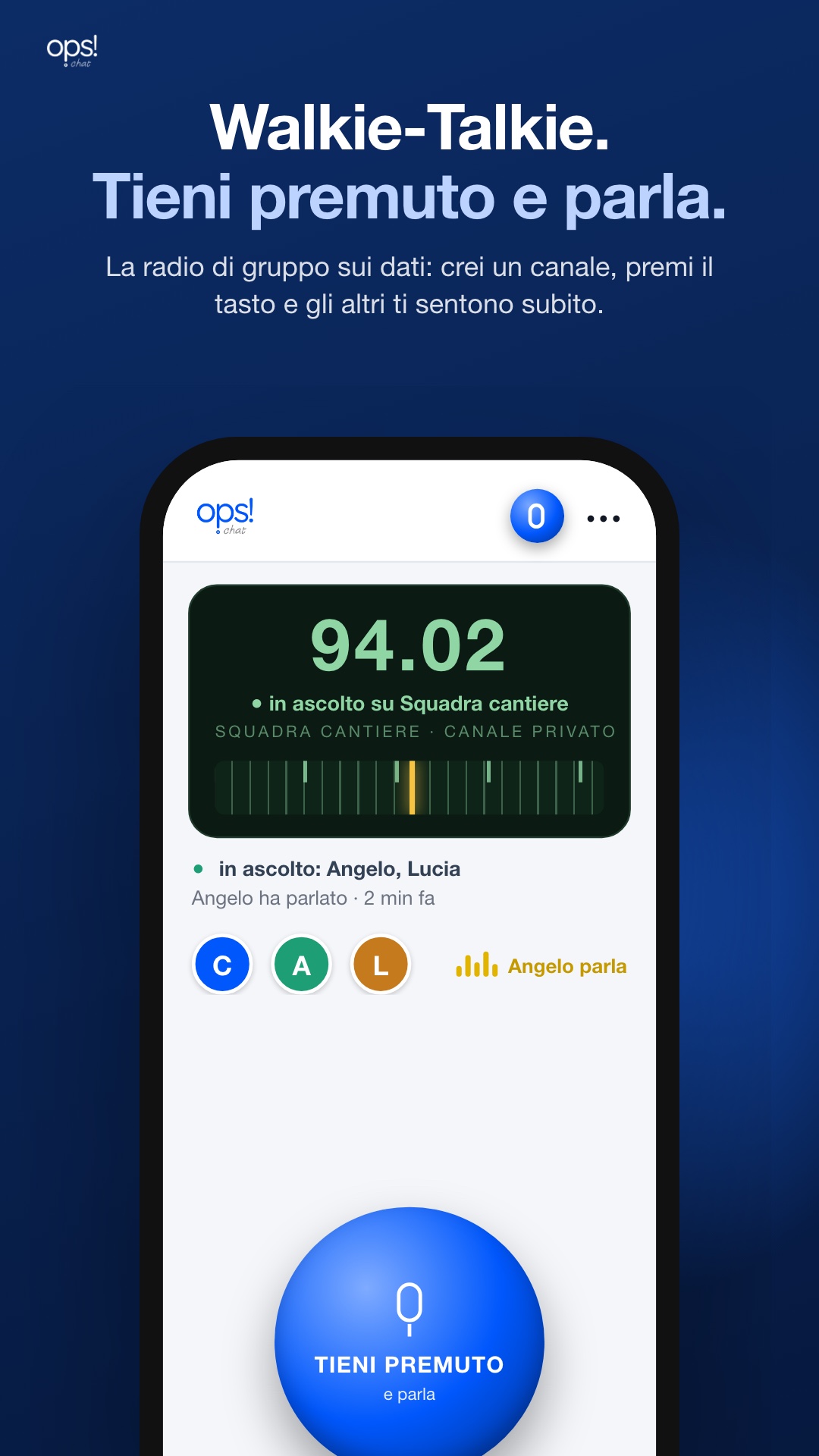
A channel for your team, like a radio: press the button and the others hear you right away, on the phone in their pocket.
Messages live short lives, and when they end they are deleted on the server, not just hidden on your screen. That goes for text, voice notes, photos and videos.
The life of a read message: reading starts the countdown, and when it runs out the message is gone.
The ceiling for unread messages: no message lives longer just because nobody opened it.
There is one message, not two copies: when it dies, it dies on the other side too.
 scan with your phone · chat.ops.it
In Italy, contracts, invoices and official papers travel as signed files. On Ops Chat the envelope opens the moment it arrives: you get the document, and a green badge with the signer's name.
One tap from the paperclip sends your current location: the other person sees the map and the address, and opens navigation to reach you.

Ops Chat is built for Italian businesses: signed contracts, e-invoices, official papers — they open and get verified inside the chat.
| Ops Chat | ||
|---|---|---|
| Walkie-Talkie: team channels, push to talk | ✓ | ✗ |
| Signed .p7m documents open by themselves | ✓ | ✗ |
| Who signed, tax code, whether the file is intact | ✓ | ✗ |
| The e-invoice reads like an invoice | ✓ | ✗ |
| Read messages disappear by themselves, from the server too | ✓ | ✗ |
| Voice and video calls, from the computer too | ✓ | ✓ |
| Tied to your number, no password | ✓ | ✓ |
Ops Chat grows in small steps, almost every day. Each one reaches Google Play and the App Store with the next update. The articles are in Italian.
Dalla graffetta mandi dove sei adesso: chi la riceve vede la mappa e l'indirizzo, e con un tocco apre la navigazione.
Via le righe fra una chat e l'altra: l'elenco si legge come una colonna sola, su Android e su iPhone.
Tieni premuto sulla fotocamera e registri un video messaggio rotondo, come su Android. E l'icona dell'app è tornata blu.
Il canale ti raggiunge anche a schermo spento, con il Push to Talk di Apple. E il tasto «Squilla» chiama a raccolta la squadra con la suoneria di chi riceve.